
Summarize the Content of the Blog





Key Takeaways
60-90% of cloud migration projects fail[1] or don’t meet their intended business objectives—expert guidance isn’t optional, it’s essential
Splunk cloud migration demands strategic planning across five phases: assessment, architecture design, preparation, execution, and optimization
Zero downtime migration strategies keep your security operations running while you transition to the cloud
bitsIO’s track record as a 4x Splunk Partner of the Year includes delivering 70%+ performance improvements and cutting audit report times from hours to minutes
The right approach prevents common cloud migration challenges like data transfer bottlenecks, performance issues, and compliance gaps
The cloud migration services market is exploding—projected to grow from $232.51 billion in 2024 to $806.41 billion by 2029[2]
Introduction: The High Stakes of Getting Splunk Cloud Migration Right
Your Splunk deployment has become critical infrastructure. It powers your security operations, monitors your IT environment, and provides the visibility your teams depend on to keep the business running. But if you’re still running Splunk Enterprise on-premises, you’re likely hitting familiar pain points: searches that take too long, storage that costs too much, and an IT team stretched thin managing infrastructure instead of extracting insights.
Splunk Cloud Platform promises to solve these problems. According to Splunk, organizations that migrate to Splunk Cloud see a 35% reduction in platform and compliance management[3]. You eliminate hardware refresh cycles, get automatic updates, and gain the ability to scale on demand. It’s a compelling value proposition.
Here’s the problem: most cloud migrations fail. Industry data shows that 60-90% of cloud migration projects fail, stall, or fall short of their intended business objectives. When your Splunk environment is on the line, failure isn’t just an IT setback—it means gaps in security visibility, compliance risks, and operational disruption that directly impact the business.
That’s the difference between a generic migration and one guided by deep Splunk expertise. As a 4x Splunk Partner of the Year, bitsIO has built a migration methodology specifically designed to navigate the unique complexities of moving Splunk workloads to the cloud. We’ve guided hundreds of organizations through this transition, and we’ve learned exactly where migrations go wrong and how to prevent it.
This article breaks down the critical pitfalls in Splunk cloud migration and shows you how the right partner turns a high-risk project into a strategic advantage. If you’re evaluating whether to migrate to Splunk Cloud—or comparing cloud migration services—understanding these challenges will help you make the right decision.
The Cloud Migration Market: Why Now Matters
The momentum behind cloud adoption isn’t slowing down—it’s accelerating. Gartner forecasts that worldwide public cloud spending will hit $723.4 billion in 2025, up from $595.7 billion in 2024[4]. But those numbers tell only part of the story.
What’s driving this growth? The cloud migration services market itself is experiencing explosive expansion—from $232.51 billion in 2024 to a projected $806.41 billion by 2029, representing a compound annual growth rate of 28.24%. Organizations aren’t just talking about cloud anymore; they’re actively moving workloads and investing in the expertise to do it right.
For Splunk users specifically, the business case has shifted from “should we?” to “how soon can we?” The Splunk Cloud Platform offers benefits that on-premises deployments simply can’t match: elastic scalability that grows with your data, reduced operational overhead that frees your team for strategic work, and built-in disaster recovery that protects your investment.
But here’s what makes Splunk migrations different from standard cloud projects: you’re not just moving applications and data. You’re migrating to a platform that’s deeply embedded in your security operations and IT monitoring. Your Splunk environment likely contains years of indexed data, custom correlation searches, integrations with dozens of tools, and configurations tuned to your specific use cases. Any disruption ripples across security, compliance, and operations.
This complexity explains why migration strategy matters so much. A successful Splunk cloud migration requires understanding both cloud architecture and the nuances of how Splunk works. You need expertise in data migration at scale, knowledge of Splunk Cloud’s unique requirements, and experience navigating the inevitable challenges that arise during execution.
That brings us to the framework Splunk recommends for successful transitions.
The Five-Phase Framework for Splunk Cloud Migration
Splunk’s official migration guidance[5] outlines a structured approach that breaks the journey into manageable phases. Understanding this framework helps you see where most migrations encounter trouble—and where expert guidance delivers the most value.
Phase 1: Assessment and Planning starts with understanding what you have today. This means inventorying your data sources, documenting your apps and add-ons, mapping dependencies between systems, and establishing clear success metrics. Many organizations underestimate this phase, only to discover critical dependencies mid-migration.
Phase 2: Architecture Design translates your current environment into an optimal cloud configuration. You’re making decisions about capacity planning, index structures, security controls, and disaster recovery. These choices directly impact performance and cost, so getting them right matters.
Phase 3: Preparation involves getting your environment ready to move. This includes upgrading your on-premises deployment to a compatible version, validating that your apps work in Splunk Cloud, and establishing the infrastructure needed for data transfer. This phase often reveals compatibility issues that require remediation.
Phase 4: Migration Execution is where theory meets reality. You’re transferring data, migrating configurations, moving knowledge objects like searches and dashboards, and validating that everything works as expected. This is where data transfer speed, downtime management, and validation become critical.
Phase 5: Optimization happens after migration when you fine-tune performance, implement cloud-specific features, and train your team on managing Splunk Cloud. This phase determines whether you simply moved your problems to the cloud or actually transformed your operations.
Each phase presents specific cloud migration challenges that can derail even well-planned projects. Let’s look at what typically goes wrong and why.
The Six Critical Challenges That Derail Splunk Cloud Migrations
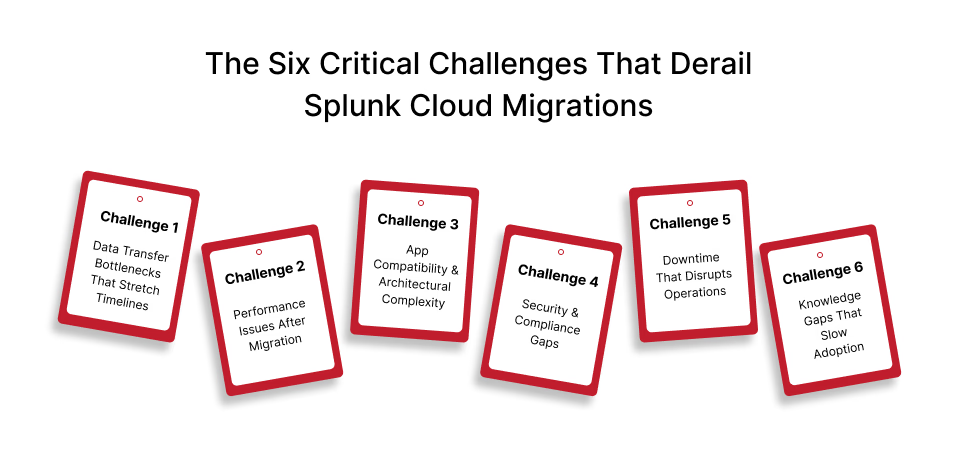
Through our work with enterprise clients across healthcare, financial services, technology, and other sectors, we’ve seen patterns in what causes migrations to fail. These aren’t theoretical risks—they’re real problems that create real business impact.
Challenge 1: Data Transfer Bottlenecks That Stretch Timelines
When you’re migrating terabytes or petabytes of Splunk data, transfer speed makes the difference between a smooth transition and a project that drags on for months. Default migration configurations rarely optimize for your specific hardware and network capacity, leaving performance on the table.
The impact? Extended migration windows that increase risk, higher costs, and opportunity costs from delayed benefits. One day of delay when you’re transferring at 5TB per day versus 6TB per hour represents weeks of additional risk exposure.
Challenge 2: Performance Issues After Migration
Moving to the cloud doesn’t automatically improve performance—in fact, poorly executed migrations can make things worse. Searches that ran acceptably on-premises might behave differently in Splunk Cloud if index structures, data models, or search configurations aren’t properly adapted.
When users experience slower searches or degraded dashboard performance post-migration, it undermines confidence in the cloud strategy and creates pressure to revert. That’s a situation no executive wants to face.
Challenge 3: App Compatibility and Architectural Complexity
Your Splunk environment likely includes custom apps built for your specific use cases, third-party add-ons from Splunkbase, and integrations with your security and IT tools. Not every app that works on-premises is approved for Splunk Cloud, and some require modifications before they can be migrated.
Discovering these compatibility issues mid-migration creates delays and forces difficult decisions about whether to modify apps, find alternatives, or postpone parts of the migration.
Challenge 4: Security and Compliance Gaps
Data in transit is data at risk. During migration, you’re potentially exposing sensitive information if proper encryption and access controls aren’t in place. For organizations in regulated industries—healthcare, financial services, government—maintaining continuous compliance with HIPAA, PCI-DSS, or other frameworks isn’t optional.
Configuration errors during migration can create audit gaps or inadvertently expose data, creating compliance violations that carry financial and reputational consequences.
Challenge 5: Downtime That Disrupts Operations
Your security operations center can’t go dark. Your IT monitoring can’t have blind spots. Yet traditional migration approaches often require extended maintenance windows that business stakeholders find unacceptable.
The challenge isn’t just technical—it’s about maintaining business continuity during the transition. A zero downtime migration approach requires parallel environments, careful orchestration, and validation before cutover.
Challenge 6: Knowledge Gaps That Slow Adoption
Splunk Cloud operates differently from on-premises deployments. Your team is used to backend access, direct server management, and specific operational patterns. After migration, they work through the Splunk user interface and support portal instead.
Without proper training and change management, this shift creates resistance, reduces adoption, and prevents you from realizing the full value of your cloud investment.
These challenges explain why 60-90% of cloud migration projects fail[1]. But they’re not insurmountable—with the right approach, they’re entirely preventable. That’s where bitsIO’s methodology makes the difference.
How bitsIO’s Migration Approach Solves These Challenges
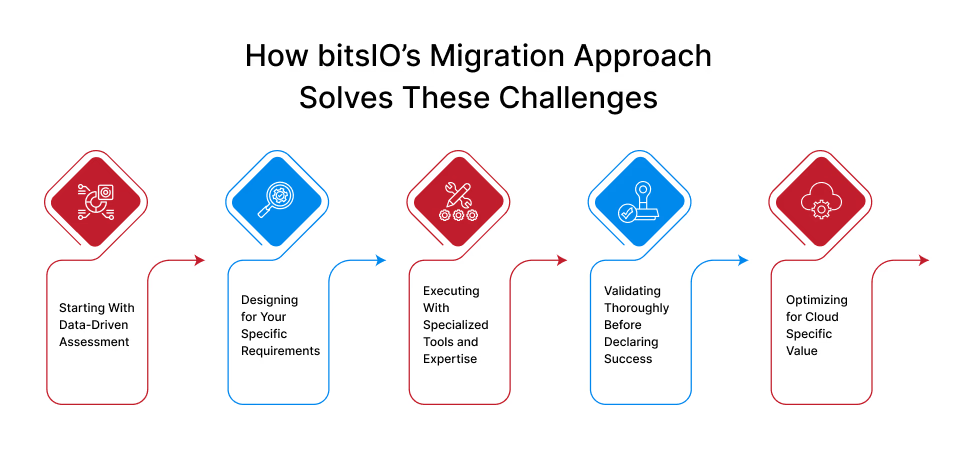
As a 4x Splunk Partner of the Year, we’ve refined our migration methodology through hundreds of successful projects. Our approach systematically addresses each challenge with proven techniques and specialized tools.
Starting With Data-Driven Assessment
Every successful migration begins with understanding exactly what you’re working with. We use the Splunk Cloud Migration Assessment (SCMA) app[8] to analyze your deployment comprehensively—data volumes, app inventory, dependencies, compliance requirements, and performance patterns.
This assessment eliminates surprises. You get realistic timelines, accurate resource requirements, and a clear understanding of which apps need attention before migration. It’s the foundation for everything that follows.
Designing for Your Specific Requirements
Generic cloud architectures don’t work for mission-critical Splunk deployments. We design your Splunk Cloud configuration based on your actual usage patterns, compliance requirements, and business objectives.
This includes right-sizing capacity to balance performance and cost, selecting the appropriate migration strategy (rehost, refactor, or replatform), designing security controls that meet your compliance framework, and establishing disaster recovery procedures aligned with your risk tolerance.
Executing With Specialized Tools and Expertise
During migration execution, our approach separates us from generic cloud migration services. We use Splunk-specific automation tools like the s2dc utility[6] that streamline data transfer while maintaining data integrity. Our Subject-Matter Experts actively optimize migration parameters for your environment rather than accepting default configurations.
This optimization makes a measurable difference. We identify configuration bottlenecks, maximize parallel processing within your hardware constraints, and continuously monitor transfers to catch and resolve issues immediately.
When downtime isn’t acceptable, we implement parallel environment configurations[9] that keep your on-premises Splunk running while the cloud environment comes online. This enables thorough validation before final cutover, giving you confidence the migration succeeded before you switch production traffic.
Validating Thoroughly Before Declaring Success
A migration isn’t complete when data finishes transferring—it’s complete when we’ve validated that everything works correctly. Our validation process includes verifying data integrity with proper time-series continuity, working with your security and audit teams to confirm critical searches produce expected results, benchmarking cloud performance against on-premises baselines, and conducting user acceptance testing.
This thorough validation catches issues before they impact operations, giving you confidence in the migration’s success.
Optimizing for Cloud-Specific Value
After migration, we help you capitalize on Splunk Cloud capabilities that weren’t available on-premises. This includes implementing cloud-specific features, tuning searches and dashboards for cloud architecture, optimizing resource allocation to control costs, and training your team on managing Splunk Cloud effectively.
This optimization phase transforms migration best practices from theory into measurable business value. Now let’s look at real examples of how this approach performs in practice.
Real Results: Client Success Stories
The difference between methodology and results shows up in actual client outcomes. Here are two examples from our recent work that demonstrate how the right approach to Splunk cloud migration delivers measurable business impact.
Healthcare Technology: From Performance Crisis to Operational Excellence
A global technology company serving the healthcare sector faced a critical situation[6]. Their large on-premises Splunk deployment had reached architectural limits—both scale and manageability were breaking down. The most pressing issue was simple but severe: they couldn’t search essential data because performance bottlenecks and indexer constraints made it inaccessible.
This wasn’t just an IT inconvenience. They needed access to frozen bucket data for audit and compliance purposes, but the limited local infrastructure couldn’t deliver it. For a company serving healthcare—one of the most heavily regulated industries—this created unacceptable compliance risk.
Our Professional Services team approached the problem systematically. Using Splunk’s s2dc script, we automated and streamlined the data migration from on-premises to Splunk Cloud. The process involved thorough analysis of all index buckets to identify relevant data, preparation and restructuring of frozen buckets to ensure Splunk Cloud compatibility while preserving time-series continuity, executing the script in carefully managed batch phases with continuous monitoring, and validating with the customer’s security and audit teams that all data was accessible and searchable.
The results speak for themselves:
- Search performance improved by over 70%, giving the team fast access to the data they need
- Audit report generation dropped from several hours to just minutes, transforming operational efficiency
- Previously inaccessible frozen data became fully available for compliance requirements
- The team shifted from managing infrastructure to deriving insights from their data
This is what seamless migration looks like in practice—not just moving data to the cloud, but fundamentally improving how the platform performs.
Vehicle Remarketing: Breaking Through Data Transfer Bottlenecks
A vehicle remarketing provider faced a different but equally critical challenge[7]. They needed to migrate substantial data volumes to Splunk Cloud, but the default migration configuration was failing them spectacularly.
The problem was technical but had serious business implications. Default settings limited their migration process to just 16 parallel threads, resulting in a transfer rate of only 5TB per day. At that pace, completing the migration would take months—an unacceptable timeline that created extended risk exposure and delayed the benefits they expected from Splunk Cloud.
Our Professional Services team, supported by Subject-Matter Experts, conducted a thorough investigation to find optimization opportunities. What we discovered revealed just how much performance was being left on the table: while default settings used only 16 parallel threads, the customer’s hardware could actually handle up to 1,000 threads.
After careful testing to ensure system stability, we increased parallel processing to 300 threads—optimizing capacity without overwhelming the system. We also fine-tuned several additional parameters to streamline the process further, maintaining close monitoring throughout to ensure stability.
The impact was dramatic:
- Data transfer rate jumped from 5TB per day to 6TB per hour—a 28.8x improvement in throughput
- Migration timeline compressed from months to weeks, drastically reducing business disruption
- System capacity was optimized without compromising stability
- Opportunity costs from prolonged migration windows were minimized
- The customer realized Splunk Cloud benefits weeks sooner than originally planned
These aren’t isolated success stories. They represent the level of improvement that’s possible when you combine deep Splunk expertise with systematic optimization. The patterns we learned from these and hundreds of other migrations have shaped the Splunk migration best practices we now apply to every engagement.
Six Best Practices From 300+ Successful Migrations
Working with over 300 enterprise clients[10] across industries has taught us what consistently leads to successful outcomes. These migration best practices apply whether you’re migrating a small Splunk deployment or a multi-petabyte enterprise environment.
1. Think in Phases, Not “Big Bang”
The temptation is to plan one massive cutover weekend and migrate everything at once. The reality is that phased migrations consistently outperform all-at-once approaches. Start with non-production environments to validate your process, move less critical data sources next while building confidence, then transition mission-critical systems after you’ve worked out the operational patterns.
Phased approaches let you learn and adjust without putting the entire migration at risk. You build institutional knowledge with each phase that makes subsequent phases smoother.
2. Define Success Before You Start
“Successful migration” means different things to different stakeholders. Get specific about what success looks like before you begin. Establish clear metrics: data ingest latency targets, search response time requirements, user adoption goals, cost per GB indexed thresholds.
Having baseline measurements before migration lets you objectively evaluate whether the cloud is performing better than your on-premises environment. Without clear metrics, success becomes subjective and disputes inevitable.
3. Build Contingency Into Your Plans
Research shows that 80% of organizations overspend during cloud migrations due to inadequate cost planning[11]. Unexpected challenges aren’t the exception—they’re the norm. App compatibility issues you didn’t anticipate, data transfer taking longer than estimated, or compliance requirements that emerge during execution are all common.
Build contingency into both your timeline and budget. A realistic plan with buffer is far better than an aggressive plan that blows up when reality intervenes.
4. Treat Security as Continuous, Not a Checklist
Security isn’t something you verify once at the end—it’s something you maintain throughout the migration. Implement encryption for data in transit from day one, maintain comprehensive audit logs of all migration activities, conduct security reviews at the completion of each phase, and engage your compliance team early if you’re in a regulated industry.
The cost of a security incident or compliance violation during migration far exceeds the investment in getting security right from the start.
5. Manage Change as Deliberately as You Manage Technology
Even the most technically perfect migration fails if your users won’t adopt it. Develop communication plans that keep stakeholders informed throughout the process, provide role-based training tailored to how different teams use Splunk, identify change champions within user communities who can advocate for the migration, address concerns proactively rather than reactively, and celebrate milestones to build positive momentum.
Technical success and user adoption are equally important to migration success.
6. Choose Partners Based on Specific Expertise
Generic cloud migration services aren’t equipped to handle the nuances of Splunk deployments. The complexity of Splunk cloud migration combined with the high failure rate of DIY approaches makes partner selection critical.
Look for demonstrated Splunk expertise (like being a 4x Partner of the Year), proven migration methodology with documented success stories, and technical capabilities specific to Splunk Cloud migration. The right partner turns a high-risk project into a lower-risk transformation with better outcomes.
These practices work because they’re grounded in real-world experience, not theory. They represent the distilled lessons from hundreds of migrations across diverse industries and deployment sizes.
The Business Value of Getting Migration Right
Let’s talk about the return on investment for successful Splunk cloud migration, because the business case extends well beyond technical improvements.
Operational Efficiency That Frees Your Team
Organizations migrating to Splunk Cloud typically achieve a 35% reduction in platform and compliance management. That’s not just a nice-to-have efficiency gain—it’s time your IT and security teams can redirect from maintaining infrastructure to driving strategic initiatives that create business value.
When your team stops spending time on hardware maintenance, capacity planning, and software patching, they can focus on building better detections, improving security posture, and extracting insights from your data.
Performance Improvements That Change How Teams Work
As our case studies demonstrate, properly executed migrations commonly deliver 70%+ performance improvements[6]. When audit report generation drops from hours to minutes, you’re not just saving time—you’re changing what’s possible.
Faster searches mean analysts can investigate more threats. Quicker reports mean faster decisions. Better performance means users actually want to use Splunk instead of avoiding it due to frustration.
Cost Optimization That Improves Your Bottom Line
Cloud costs vary based on your deployment size and usage patterns, but the total cost of ownership equation changes fundamentally. You eliminate hardware refresh cycles that consume capital budget, reduce data center footprint and associated facilities costs, and optimize resource utilization with elastic scaling.
The financial benefit isn’t just about lower costs—it’s about predictable, operational spending instead of unpredictable capital investments.
Scalability That Enables Business Agility
Need to onboard a new data source for security visibility? In the cloud, you can scale capacity in hours, not months. Want to expand Splunk access to business analysts? Cloud environments enable rapid user expansion without infrastructure constraints.
This agility translates directly to business advantage—faster response to market opportunities, quicker implementation of security improvements, and reduced time-to-value for new initiatives.
Risk Mitigation Built Into the Platform
Splunk Cloud includes enterprise-grade disaster recovery, automatic security patching, and infrastructure redundancy that most organizations can’t economically replicate on-premises. Your risk exposure decreases while your security posture improves.
These benefits are real, measurable, and sustainable—but only if the migration itself succeeds. That’s why choosing the right cloud migration services partner matters so much.
Conclusion: Making Your Splunk Cloud Migration a Strategic Win
The decision to migrate to Splunk Cloud represents more than a technology change—it’s a strategic transformation that affects your security operations, IT observability, and ability to derive insights from data.
The potential benefits are substantial: better performance, lower operational overhead, improved scalability, and reduced risk. But the statistics on cloud migration failure rates make clear that good intentions aren’t enough. Without the right expertise and methodology, you’re more likely to join the 60-90% of projects that fail than the minority that succeed.
What separates successful migrations from failed ones? Three factors consistently make the difference: deep expertise in both Splunk and cloud architecture, proven methodology refined through hundreds of real migrations, and documented results that demonstrate the approach actually works.
Our track record as a 4x Splunk Partner of the Year reflects our commitment to getting Splunk cloud migration right. The results from our client engagements—70% performance improvements, 28.8x faster data transfer rates, audit report times cut from hours to minutes—aren’t marketing claims. They’re documented outcomes from real projects with measurable business impact.
For executives evaluating whether to migrate to Splunk Cloud, or comparing cloud migration services providers, the decision framework is straightforward. Look at expertise, methodology, and proven results. The risks of getting migration wrong—extended downtime, security vulnerabilities, compliance violations, wasted investment—are too significant to leave to chance.
Ready to Start Your Splunk Cloud Migration Journey?
Don’t let your Splunk cloud migration become another failure statistic. Work with experts who understand both the technical complexities and business implications of getting this transition right.
Schedule a comprehensive migration assessment with our team. We’ll analyze your current Splunk environment, identify potential challenges specific to your deployment, and develop a tailored migration strategy that aligns with your business objectives. You’ll get complete visibility into the process, realistic timelines, and clear success metrics from day one.
The difference between a risky IT project and a strategic transformation often comes down to having the right partner.